


Export & Productivity
Export iPhone Contacts to CSV or VCF in Seconds
Shows how Export Contacts helps save iPhone contacts to portable files for backup, records, or spreadsheet workflows.

Quick videos for iPhone workflows like exporting data, organizing photos, sharing images, and keeping useful records.
A short promo video for SunPath, now available on the App Store.
Short videos showing selected OpsOh apps and everyday iPhone workflows.
Shows how Export Contacts helps save iPhone contacts to portable files for backup, records, or spreadsheet workflows.

Shows an iPhone photo workflow for adding a visible date stamp to photos.

Shows a faster way to package and share selected iPhone photos instead of sending them one by one.

Shows how to combine multiple iPhone photos into one image for sharing, comparison, or simple layouts.

Shows why exporting reminders can be useful before switching iPhones or keeping task records.

Shows how Rename Photos helps batch rename iPhone photos with clearer filenames.

Shows how Export Calendar helps save iPhone calendar events for Excel, CSV, records, or moving phones.

Shows how Export Calendar helps save iPhone calendar events for Excel, CSV, records, or moving phones.
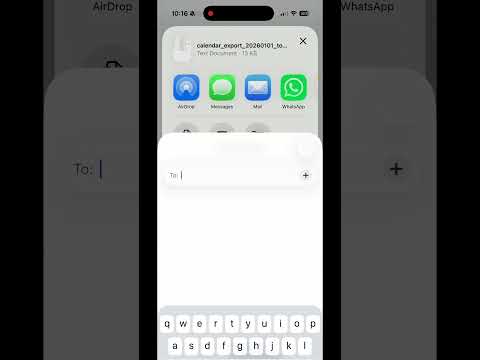
Shows how Export Calendar helps save iPhone calendar events for Excel, CSV, records, or moving phones.

Shows how Rename Photos helps batch rename iPhone photos with clearer filenames.
Additional app and bundle walkthrough areas for future videos.
A future walkthrough for showing how Rename Videos helps make iPhone video clips easier to recognize and organize.
A future bundle overview for GIF creation, video compression, audio extraction, frame capture, and large video cleanup.
A future bundle overview for calendar, contacts, reminders, and photo ZIP export workflows.
A future bundle overview for photo renaming, album organization, bulk delete, and screenshot cleanup workflows.
A future bundle overview for creating, rotating, extracting, shrinking, and organizing PDF files.
A future walkthrough for planning sunrise, sunset, golden hour, and outdoor light moments.
Each video page area connects to an OpsOh app, bundle, or guide, making the video library useful as a learning hub.